
best car tablet mount for back seat entertainment usually comes down to one thing: keeping the screen steady, at kid-eye level, without turning your headrest area into a cluttered, unsafe mess.
If you’ve ever had a tablet slide, bounce, or end up in a child’s lap mid-drive, you already know the real problem isn’t “finding a mount,” it’s finding one that fits your car, fits your tablet, and stays put on rough roads.
This guide breaks down the mount styles that work in the back seat, what to measure before you buy, and a quick decision checklist so you don’t waste money on a return pile.
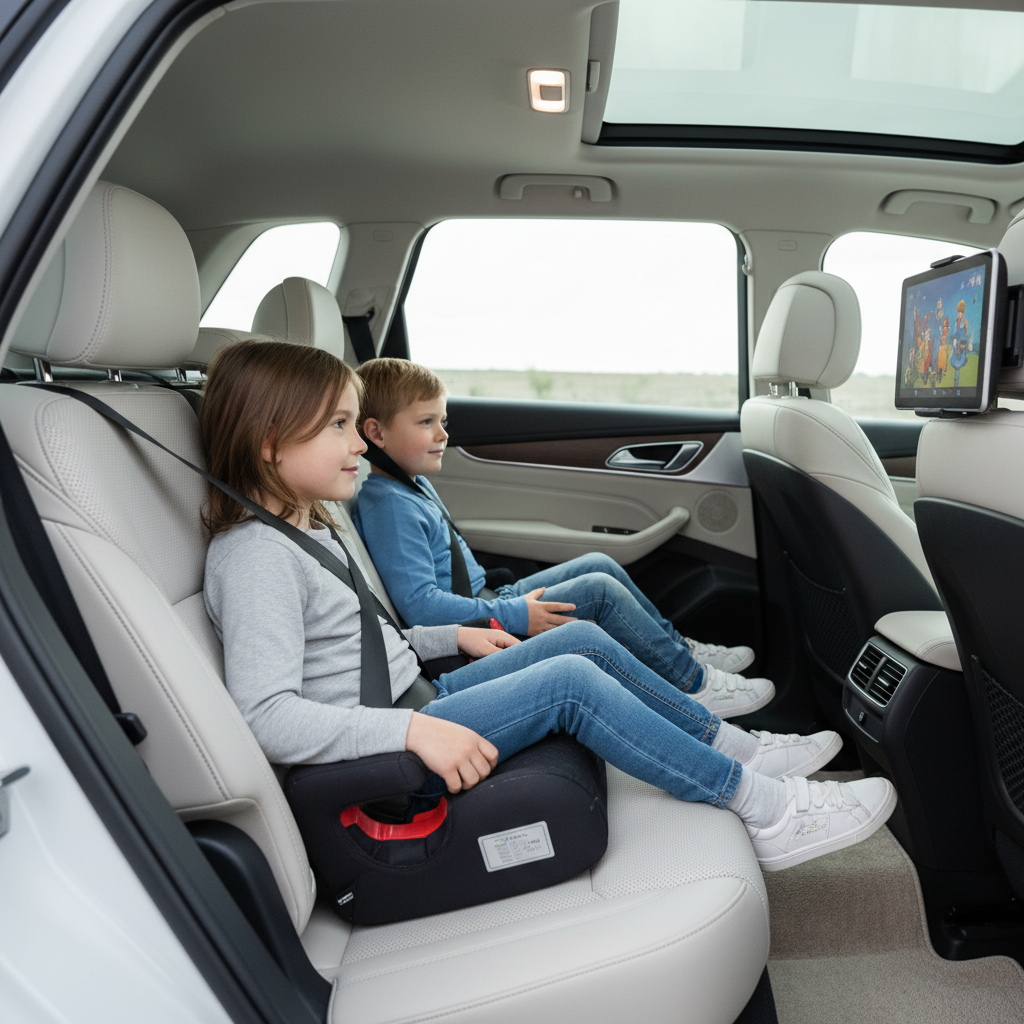
What “best” really means for back seat tablet mounts
There isn’t one universal winner because vehicles, headrests, and passenger ages vary. In practice, the best car tablet mount for back seat entertainment is the one that balances stability, viewing comfort, and safe placement.
- Stability on bumps: a good clamp and a rigid arm matter more than fancy features.
- Comfortable viewing angle: kids shouldn’t have to crane their necks upward for 2 hours.
- Quick removal: you will take the tablet out at gas stops, restaurants, or hotel check-in.
- Safe placement: it should not become a projectile or interfere with seat function.
According to NHTSA, loose items in a vehicle can become dangerous in a crash or sudden stop, so the “best” choice also means avoiding setups that leave heavy devices unsecured.
The main mount types (and who they’re actually good for)
Most back-seat setups fall into a few categories. Each has a “sweet spot,” and each has a common frustration point that buyers only discover later.
Headrest post mounts (two metal posts)
These clamp around the headrest posts and hold the tablet centered. Many families prefer them because they feel anchored.
- Best for: frequent road trips, kids who tap the screen a lot, heavier tablets.
- Watch for: headrests without exposed posts, very wide post spacing, or angled posts.
Headrest strap mounts (fabric straps)
Strap styles wrap around the headrest. They’re often cheaper and fit more vehicles, but they can wobble more on rough pavement.
- Best for: occasional use, lighter tablets, budget setups.
- Watch for: sagging over time and tablets that bounce when kids touch the screen.
Seat-back or cargo-area mounts (less common)
Some systems mount to the seat back panel or attach in the cargo area to face a third row. They can work, but fitment is more vehicle-specific.
- Best for: SUVs and minivans with third-row passengers.
- Watch for: blocked vents, blocked seat pockets, and awkward cable routing.
Gooseneck/long-arm mounts
These can bring the screen closer to the passenger’s face, which sounds great until you hit potholes. The longer the arm, the more leverage creates shake.
- Best for: situations where a centered headrest mount won’t align well (two kids, different seats).
- Watch for: bounce, droop, and arms that creep down over time.
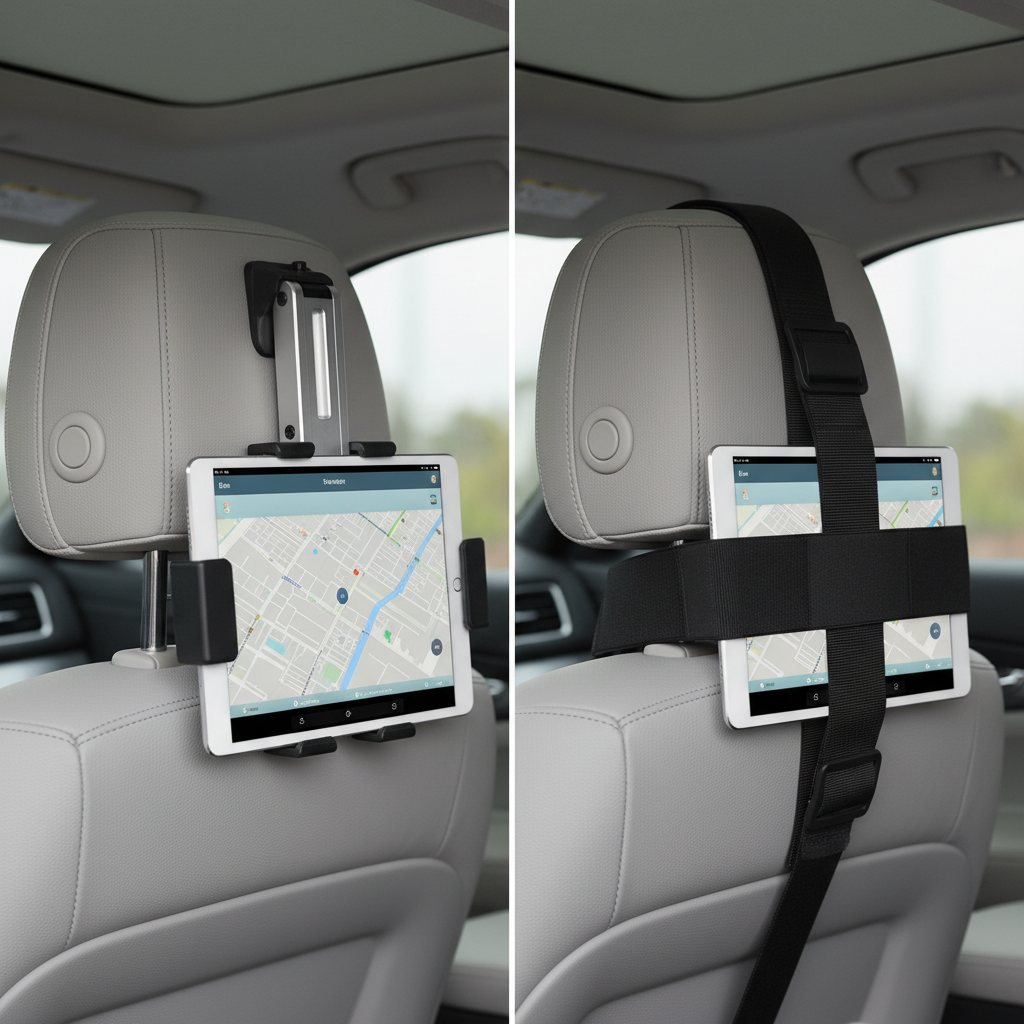
Quick fit checklist before you buy (saves most returns)
Most “this doesn’t fit my car” issues are predictable. Check these five items first, then shop.
- Headrest style: do you have two exposed metal posts, or an integrated headrest with no posts?
- Post spacing: measure the distance between the two posts (center-to-center if possible).
- Post diameter: some clamps only fit within a narrow range.
- Tablet size and case: many mounts list tablet size, but thick kid-proof cases change everything.
- Seat movement: make sure the mount won’t hit the passenger’s knees when the front seat slides back.
If you want the “set it and forget it” feel, post-clamp designs tend to win. If your headrests are integrated, strap mounts may be the realistic option.
Key features that matter more than marketing
When people search for the best car tablet mount for back seat entertainment, they often get distracted by extra accessories. These are the features that actually change daily use.
- Clamp grip and padding: rubberized contact points reduce slip and protect posts/tablet edges.
- Rotation with a firm detent: 360° rotation is common, but it should “click” or hold position without drifting.
- Low-vibration design: shorter arms and metal reinforcement usually shake less than long plastic arms.
- One-handed release: helpful when you’re handing the tablet back at a stop without wrestling a spring clamp.
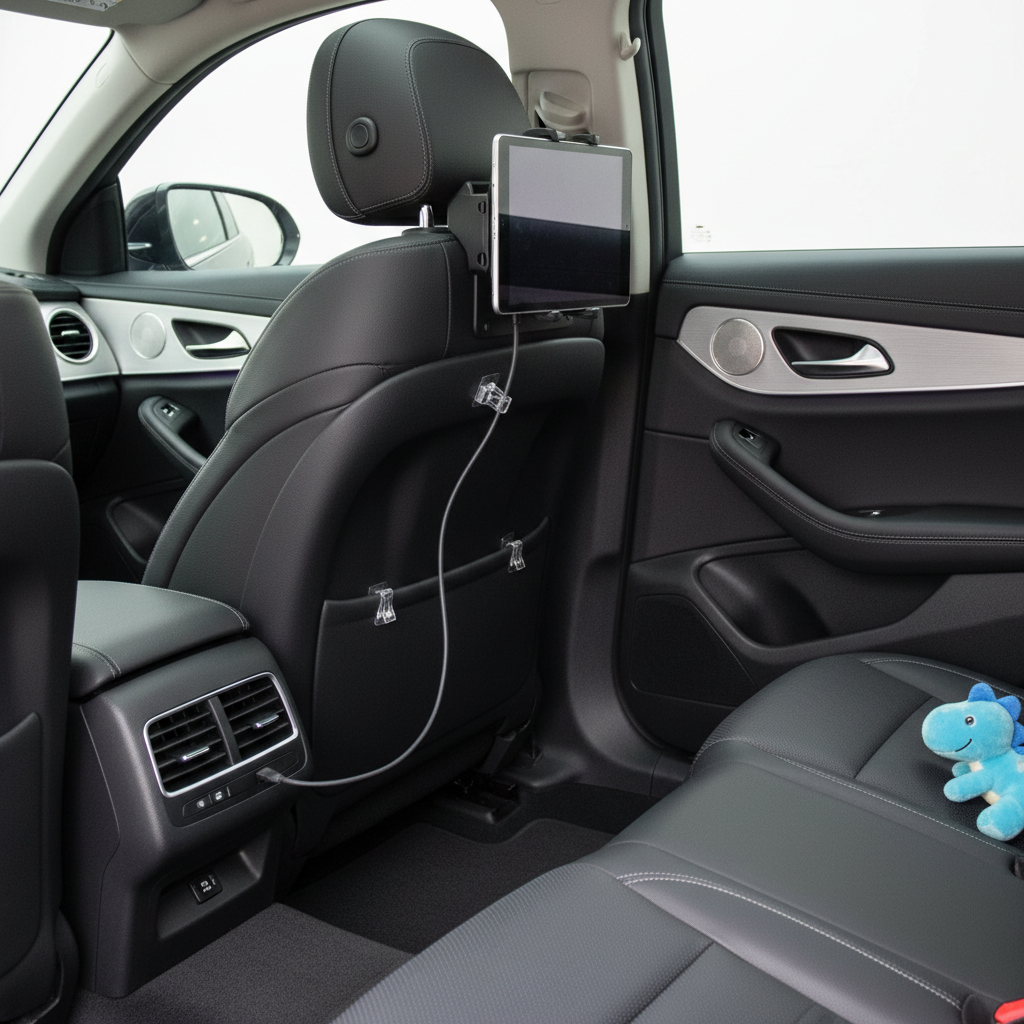
- Cable management: a small clip or channel prevents charging cords from dangling into feet.
One more practical point: if multiple kids will watch, a centered mount behind the middle of the front seats can reduce fighting, but it depends on your rear-seat layout.
Safety and comfort: the “boring” stuff that prevents headaches later
It’s easy to focus on entertainment and forget that this is a moving vehicle. A mount should not block airbags, interfere with seat locking mechanisms, or encourage unsafe behavior (like kids unbuckling to adjust the screen).
- Keep sightlines clean: avoid anything that distracts the driver via rear-view mirror reflections.
- Don’t block vents: tablets over vents can overheat and make passengers miserable.
- Mind the charging setup: route cables along seat edges, not across walkways.
- Set volume rules: headphones reduce driver distraction, though very young kids may need volume-limited options.
According to the American Academy of Pediatrics, proper restraint use matters on every trip, so pick a setup that doesn’t tempt kids to lean forward or loosen the seat belt just to reach the screen.
Recommendation table: match the mount style to your situation
This is the fast way to decide without overthinking it.
| Situation | Mount type that usually fits best | Why it works | Common downside |
|---|---|---|---|
| Two metal headrest posts, frequent trips | Headrest post clamp | More stable, less wobble | May not fit wide/angled post spacing |
| Integrated headrest (no posts) | Headrest strap mount | Broader compatibility | More bounce, strap wear |
| Large tablet or thick kid-proof case | Post clamp with wide jaw range | Better grip and weight support | Bulkier hardware |
| Third-row passengers in SUV/minivan | Seat-back/cargo-facing mount | Better viewing distance | Vehicle-specific fit, harder install |
| Want closer screen for one passenger | Short-arm adjustable mount | Improves comfort without huge shake | Still needs solid tightening |
Install and setup: a 10-minute routine that works
You don’t need special tools for most mounts, but you do need a consistent setup routine. This is where many people accidentally create wobble.
- Mount first, tablet second: tighten the base on the headrest posts (or straps) before inserting the device.
- Center the weight: keep the tablet centered in the cradle so it doesn’t twist on bumps.
- Set angle at eye level: slightly downward tilt often reduces glare and neck strain.
- Do a “shake test” while parked: if it shifts easily with your hand, it will bounce on the road.
- Plan power: if you’ll charge while driving, route the cable along the seat edge and secure slack.
Key point: if you hear plastic creaking or you see the mount slowly drooping, stop and retighten. Many mounts rely on friction joints that need a firm lock to stay stable.
Common mistakes (and what to do instead)
- Buying without measuring: measure headrest post spacing and tablet-with-case width, then shop.
- Overextending a long arm: keep the arm as short as you can, stability improves immediately.
- Blocking the front passenger: confirm the front seat can recline and slide without hitting the mount.
- Ignoring glare: a matte screen protector can help, but placement and tilt often solve most glare.
- Letting cords dangle: use clips or Velcro ties, loose cables invite tugging and trips.
When it’s worth getting help or switching approaches
If you’ve tried two mounts and neither stays put, it may not be “bad luck.” Some headrests are simply awkward shapes, and some aftermarket seat covers change friction and fit.
- If the mount interferes with a seat locking mechanism, stop using it and consider a different style.
- If your setup affects child restraint use, it’s safer to rework placement; you can ask a certified Child Passenger Safety Technician for guidance on general in-car safety choices.
- If you drive on very rough roads often, prioritize short-arm, rigid mounts and consider downloading content offline to avoid constant reaching for connectivity.
The goal is calm, hands-off entertainment, not a screen you have to babysit every ten minutes.
Conclusion: a practical way to pick the right mount today
If you want a reliable answer, treat the best car tablet mount for back seat entertainment as a fit-and-stability problem, not a brand-name problem. In many vehicles, a headrest post clamp is the most stable option, and a strap mount is the most flexible for odd headrests.
Measure your headrest, measure your tablet with its case, then choose the simplest mount that stays rigid. After that, spend your time on clean cable routing and a comfortable screen angle, those two details do more than most “premium” add-ons.
FAQ
What is the best car tablet mount for back seat entertainment on bumpy roads?
Usually a headrest post clamp with a short, rigid arm. Less extension means less wobble, and a strong clamp resists the constant vibration that makes cheaper mounts drift.
Will a headrest tablet mount fit my car if the headrest has no metal posts?
Many post-clamp mounts won’t. In that case, a strap-style mount is often the more realistic choice, just expect a bit more bounce and check strap tightness regularly.
Do tablet mounts work with thick kid-proof cases?
Some do, some don’t. Look for mounts that list a wide jaw range and have deeper grips, and measure your tablet width with the case on, not the bare device.
Is it safe to mount a tablet behind the front seat?
It can be, if it doesn’t interfere with seat function, doesn’t create hard edges near passengers, and stays secured during sudden stops. If you’re unsure about placement near restraint systems, consider asking a safety professional.
How do I stop the tablet from shaking when my child touches the screen?
Tighten the base first, then reduce arm length and re-center the tablet in the cradle. If the mount relies on friction joints, make sure the locking knob is fully tightened before driving.
Where should I run the charging cable for a back seat tablet?
Along the seat edge and down a side, secured with small clips or Velcro ties. Avoid routing across footwells where kids might tug it or step on it.
Should I choose a mount that rotates to portrait mode?
If you use educational apps or reading, rotation helps. Just make sure the rotation joint holds position firmly; “360°” is common, but not all joints resist vibration well.
If you’re trying to set up back seat screens quickly and you’d rather not gamble on fit, start by narrowing your options to the mount type your headrest supports, then pick the simplest model with solid clamps and clean cable routing, it tends to be the most hassle-free path.